
OpenShot Video Editor Logo
  • Download
  • Features
    • View Features
    • Screenshots
    • Videos
    • About Us
      • About OpenShot
      • Our Story
      • Our Awards
      • Our Company
      • Sponsors
      • Contact Us
      • Meet the Developers
  • API
    • OpenShot Cloud API
    • OpenShot C++ Library
  • Support
    • User Guide
    • Learn Video Editing
    • Report a Bug
    • Discord
    • Translations
    • Visit Forums
  • Blog
  • Donate
    • Make Donation
    • View Donations

Features

More than a timeline

Create, animate, mix, and finish your videos in one powerful workspace.

01

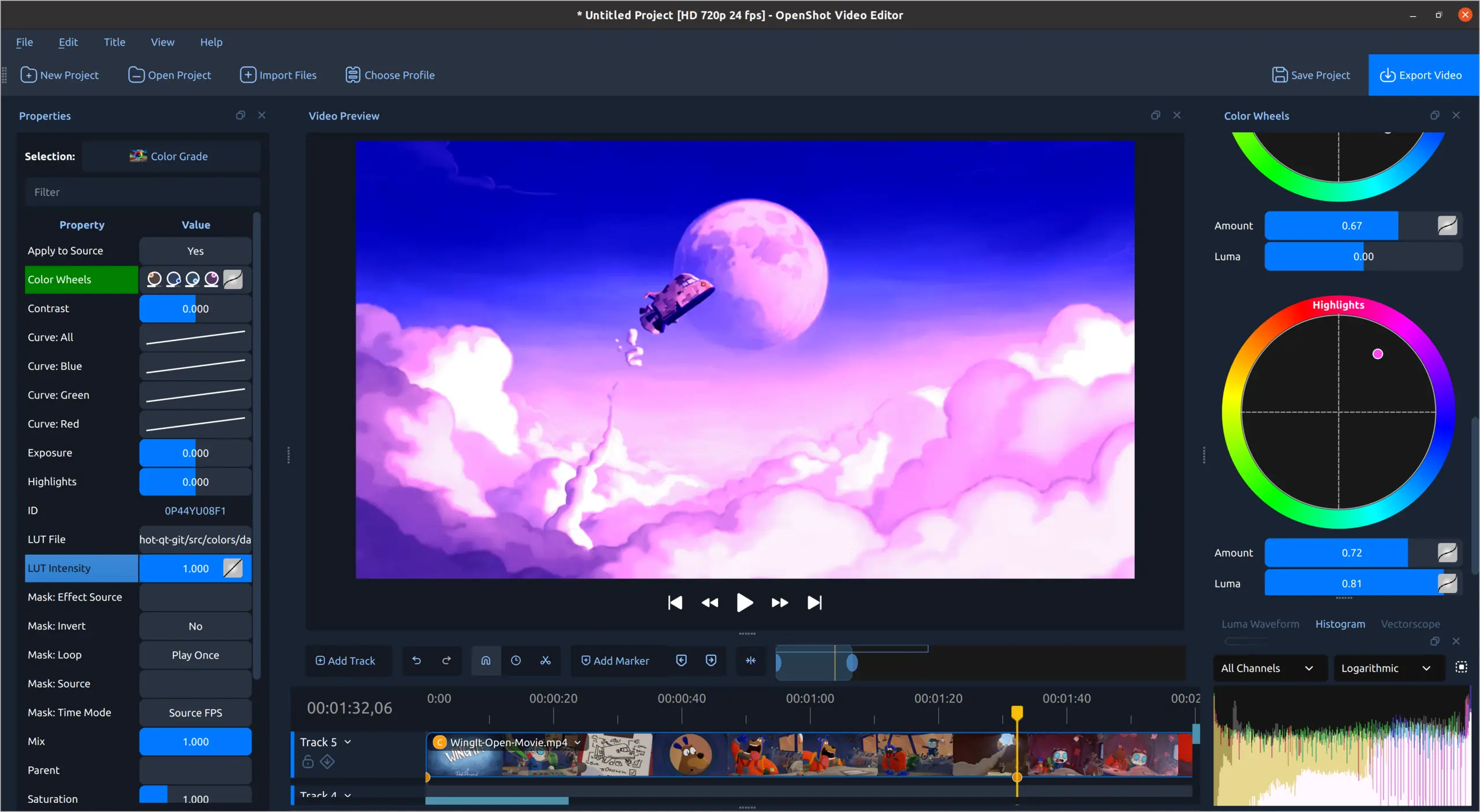
Color grading and scopes

Adjust shadows, midtones, and highlights with color wheels, curves, LUTs, and live video scopes.

Use color wheels for shadows, midtones, and highlights; reshape individual color channels with curves; apply LUT files; and monitor the result with waveform, histogram, vectorscope, and RGB parade views.

OpenShot color grading workspace with color wheels and video scopes
02

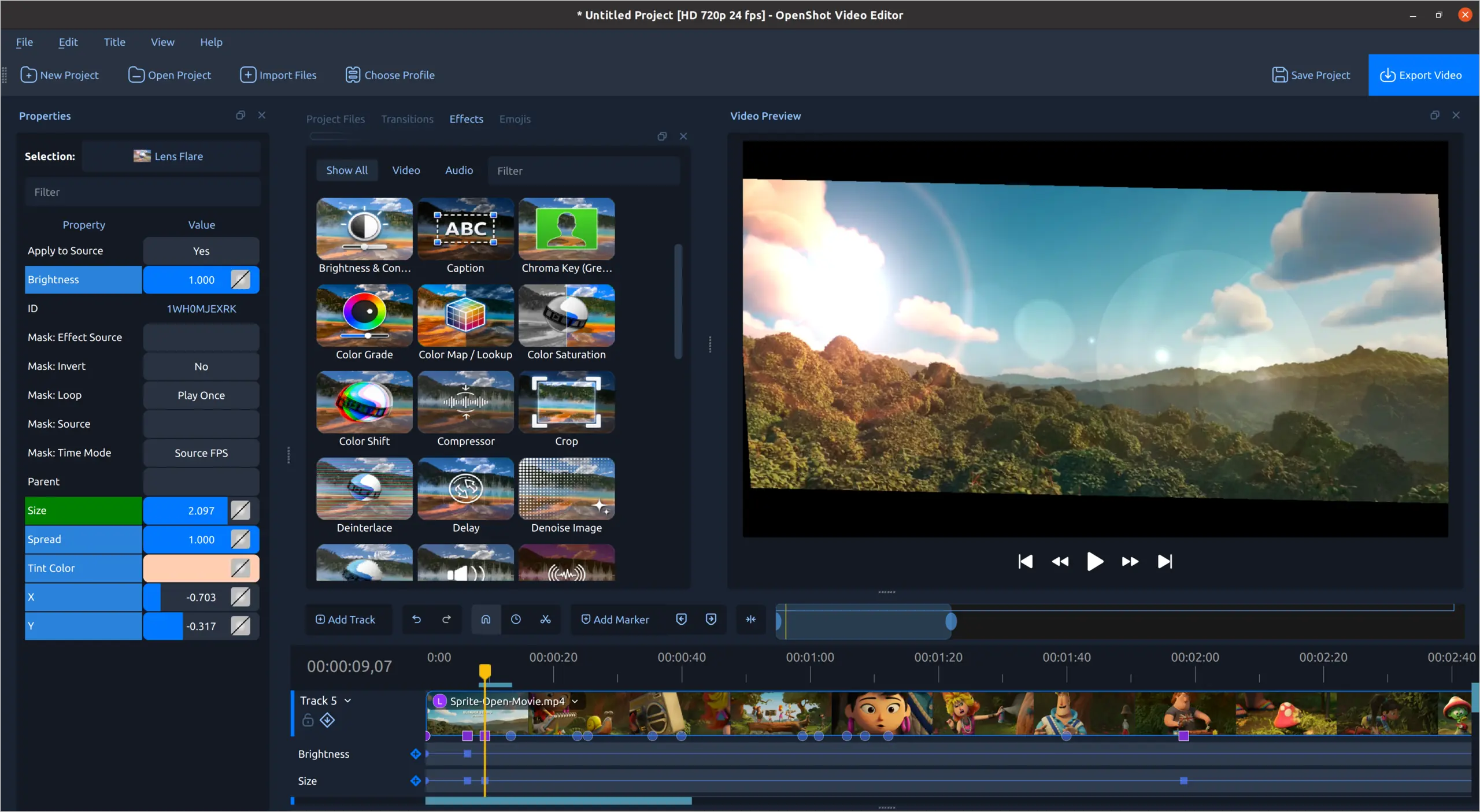
Video effects

Choose from the effects library, adjust individual properties, and animate those settings over time.

Effects include brightness and contrast, chroma key, color adjustments, crop, blur, lens flare, and other image treatments. Effect properties can be keyframed and combined on the same clip.

OpenShot lens flare effect with adjustable animated properties
03

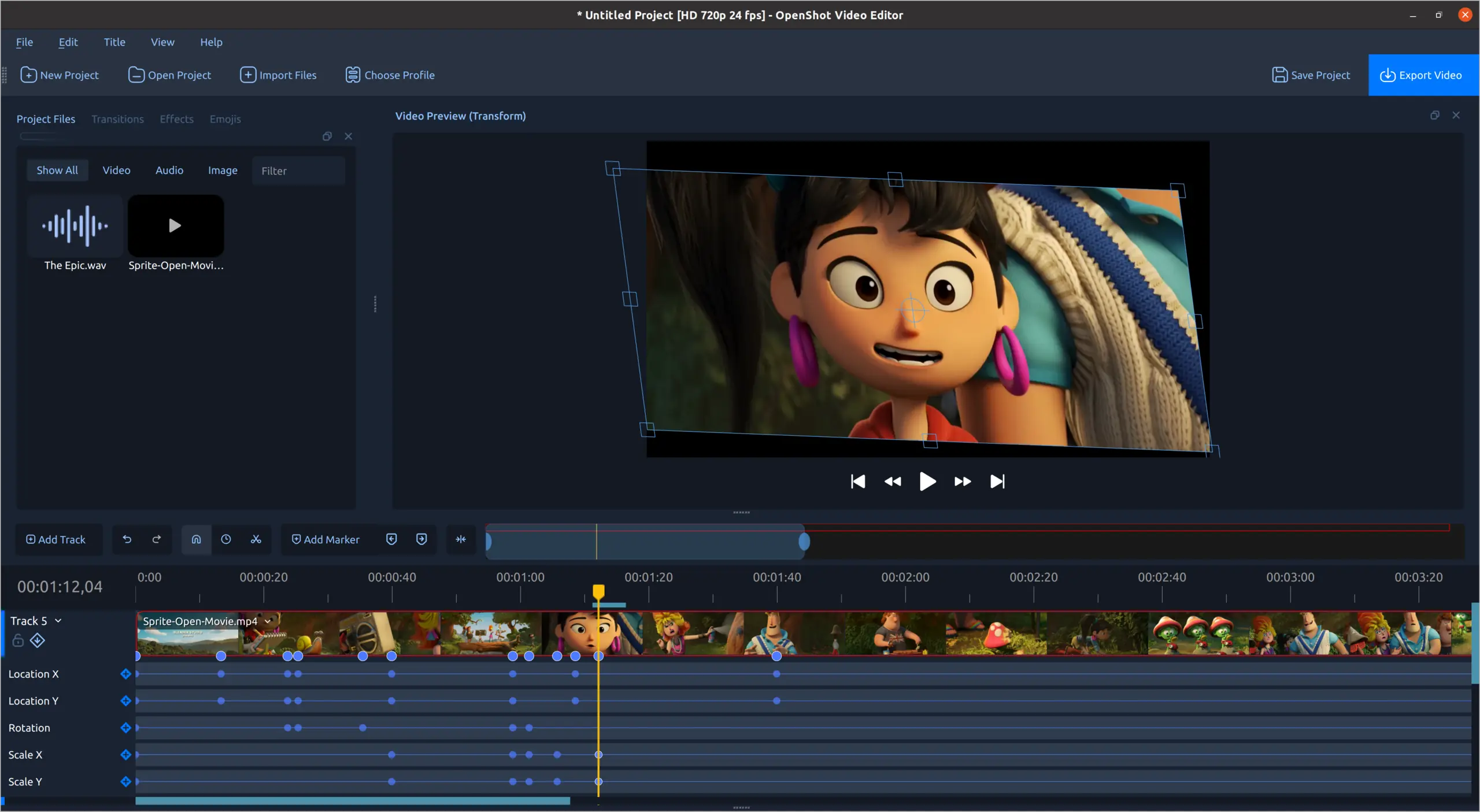
Keyframe animation

Animate position, rotation, scale, and other properties with keyframes that can be edited directly on the timeline.

Choose linear, constant, or Bézier interpolation between keyframes. Animate clip transforms, opacity, volume, effect settings, playback speed, and direction over time.

OpenShot timeline showing animated position, rotation, and scale keyframes
04

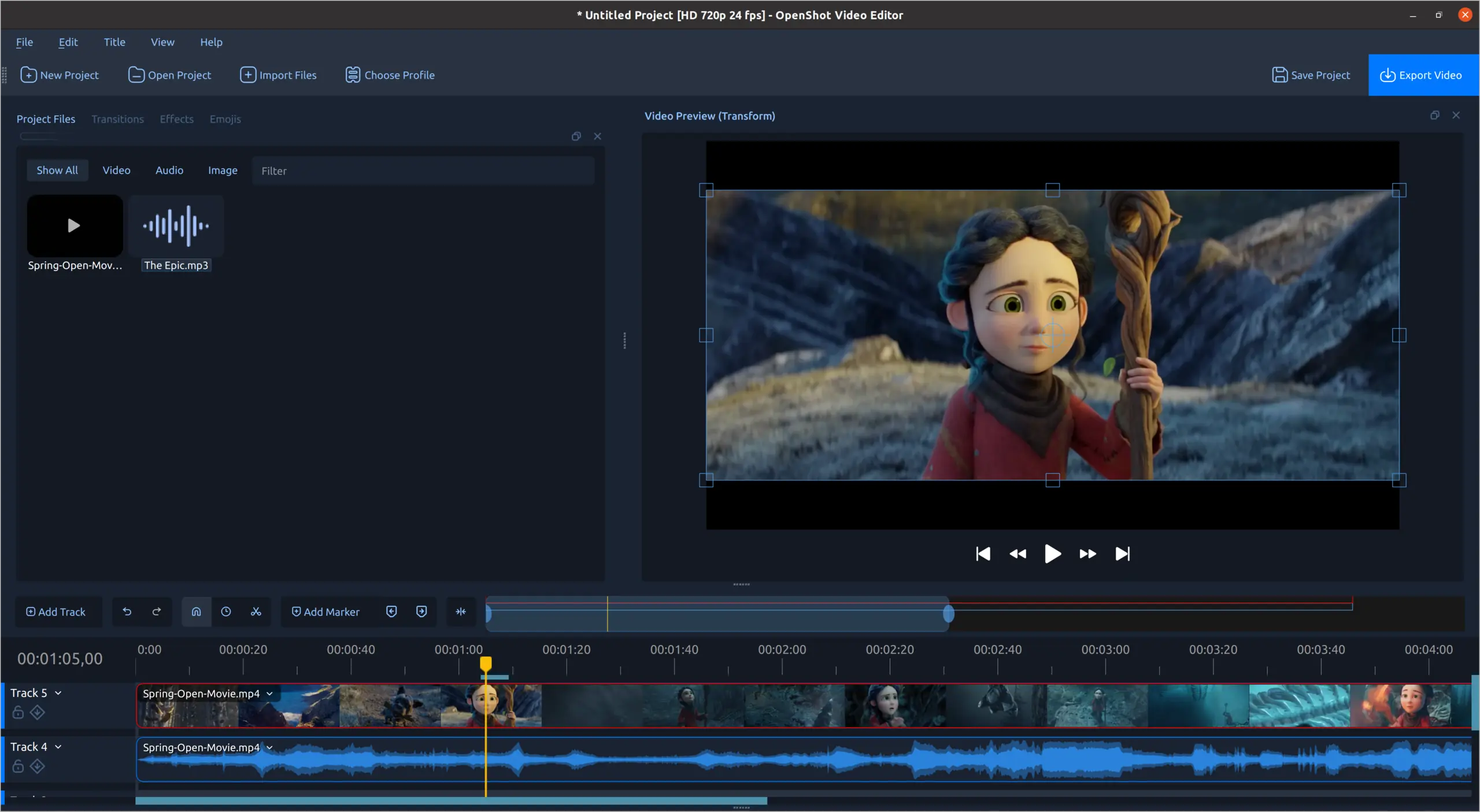
Timeline editing

Use video thumbnails and audio waveforms to position clips and make accurate cuts across multiple tracks.

Drag video, audio, and images onto unlimited tracks. Trim, slice, resize, snap, zoom, pan, and step through a project frame by frame. OpenShot reads common media formats through FFmpeg, and project files can move between Linux, macOS, and Windows.

OpenShot timeline with video thumbnails and audio waveforms
05

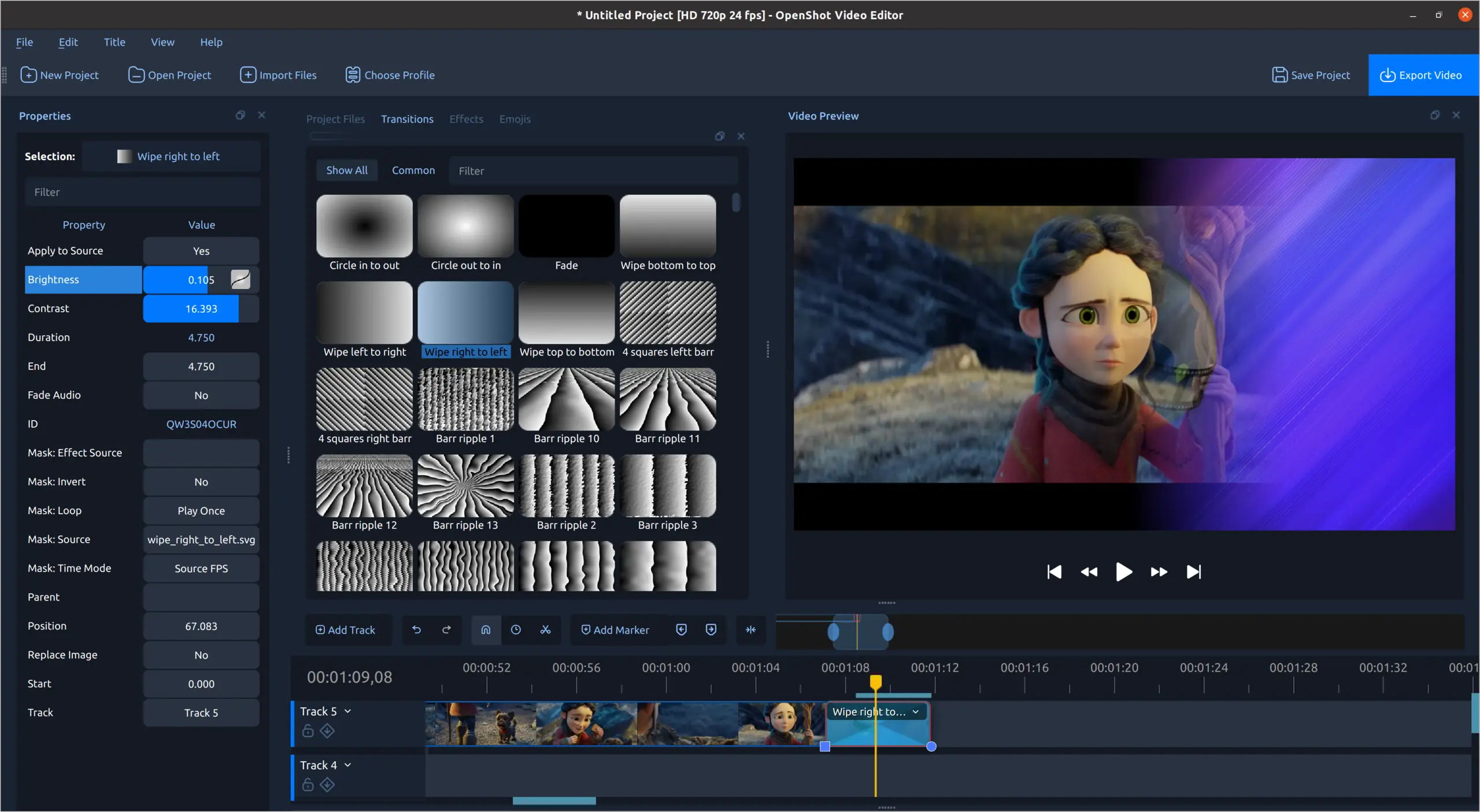
Transitions and wipes

Choose a transition from the library, place it on the timeline, and adjust its timing, direction, brightness, and contrast.

OpenShot includes more than 400 transition patterns. Overlap two clips to create a transition automatically, reverse its direction, or animate its properties with keyframes.

OpenShot transition library, properties, timeline clip, and video preview
06

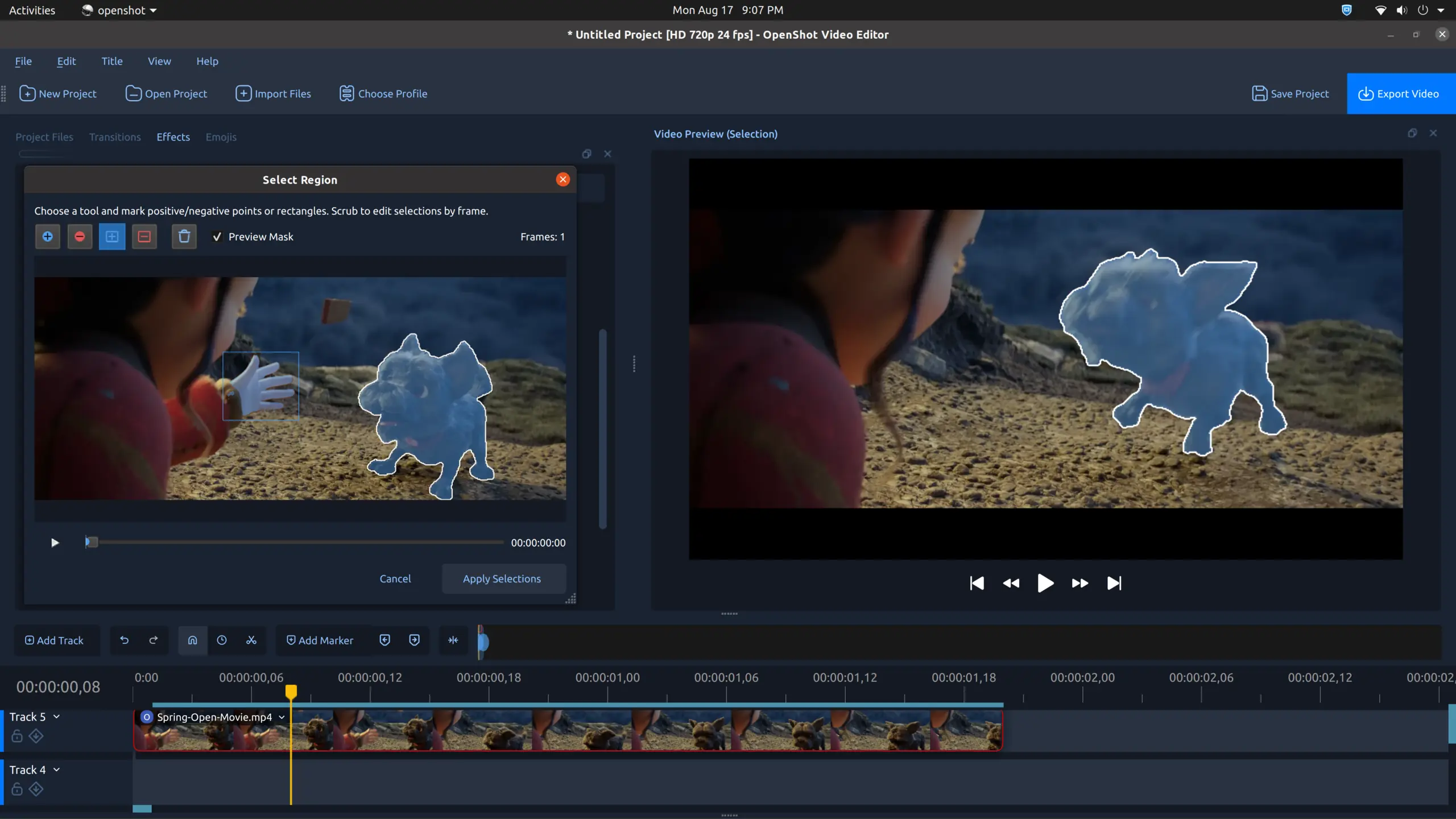
Interactive video masks

Mark positive and negative regions, review the generated mask, and preview the isolated subject before applying it.

Use points or rectangles to identify the region to keep or remove. Masks work with OpenShot's track-based compositing, transparency, image overlays, and watermarks.

OpenShot mask selection window and masked subject preview
07

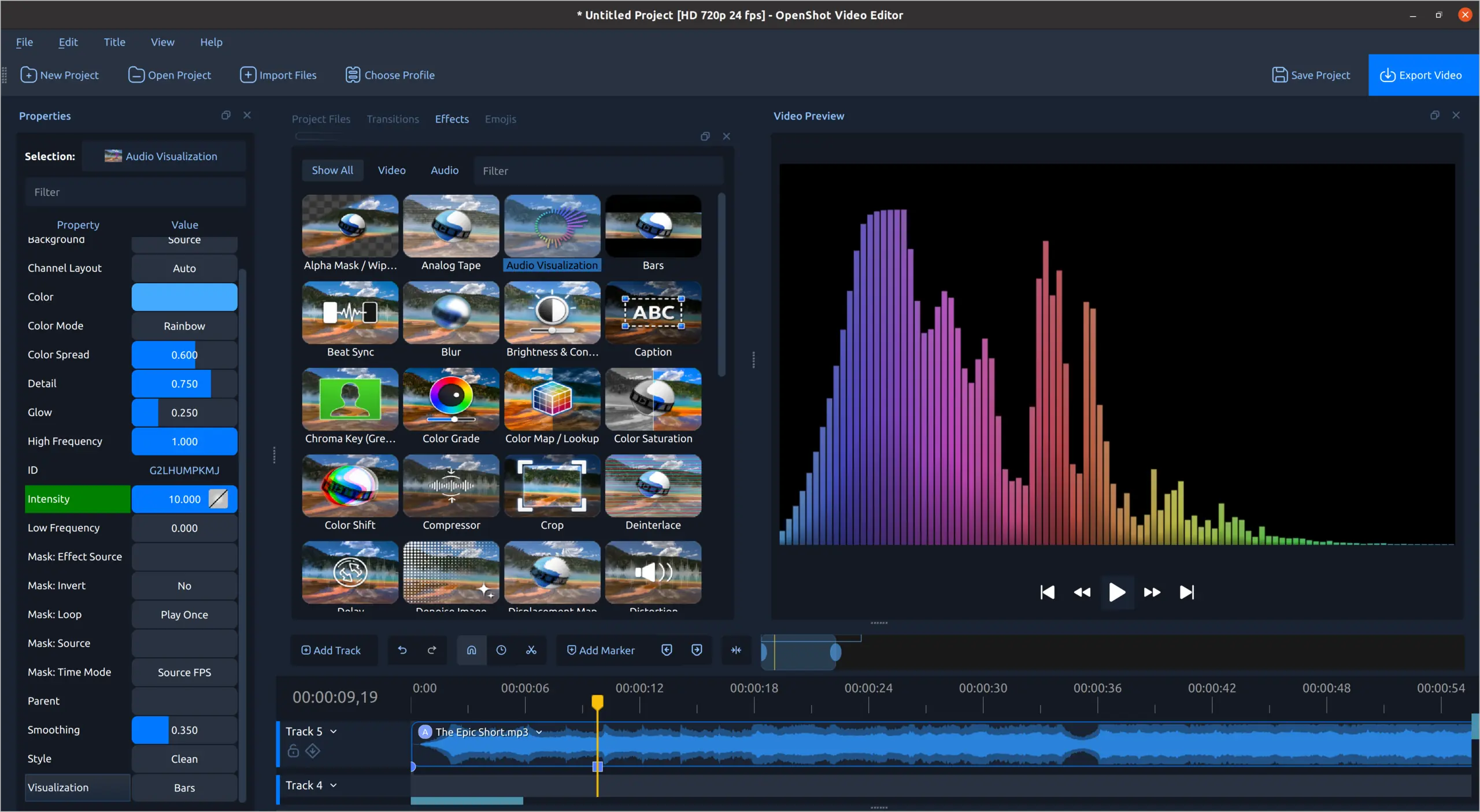
Audio visualizations

Display an audio track as bars, radial patterns, or waveforms, with controls for color and visual style.

Display waveforms on the timeline, render audio visualizations into the finished video, separate audio from a video clip, and adjust individual audio channels.

OpenShot rainbow audio bar visualization and effect controls
08

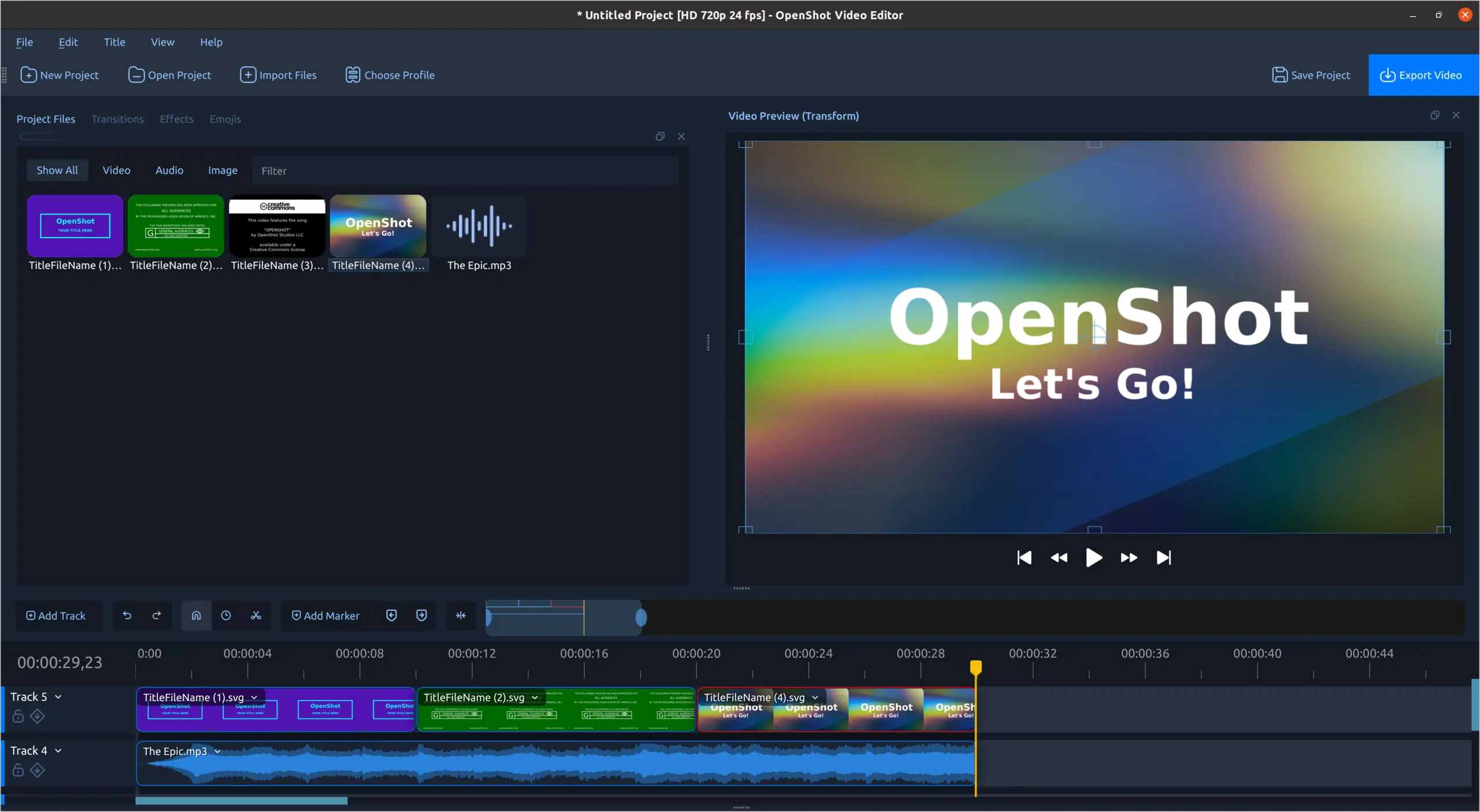
2D and 3D titles

Start with an editable 2D title template or render a 3D animated title with Blender, then place the result on the timeline.

OpenShot includes more than 40 editable vector title templates. Change the text, font, and colors, create custom SVG templates, or use Blender-powered animated titles with controls for text, materials, lighting, and animation length.

OpenShot title templates arranged on the timeline
09

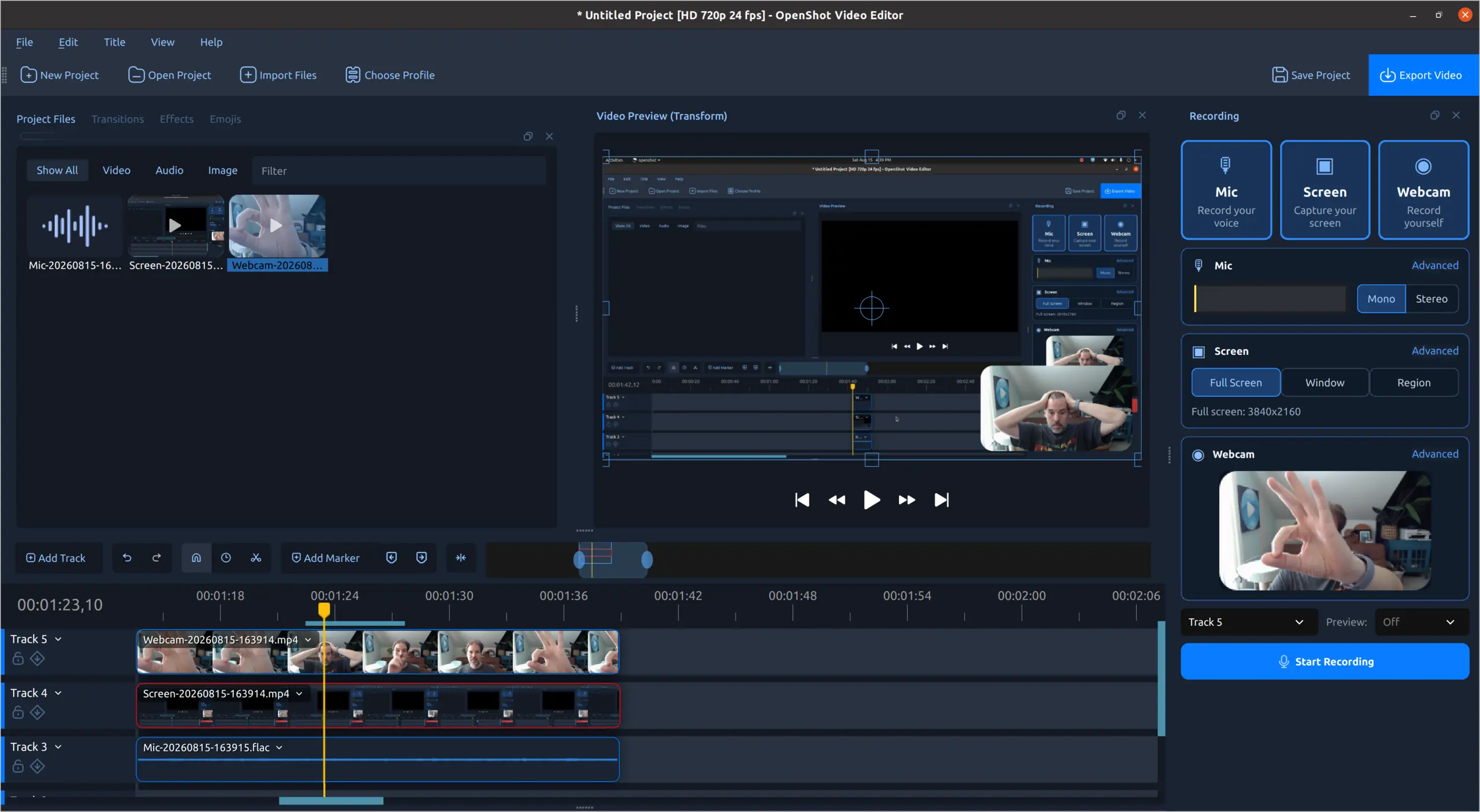
Record in OpenShot

Capture a screen, webcam, and microphone from the recording panel, then add the resulting files to the timeline.

Record a full screen, window, or selected region. Capture a webcam and microphone at the same time, choose mono or stereo audio, and place each recording on its own timeline track.

OpenShot recording workspace with microphone, screen, and webcam controls
Free and open source

Make your next video in OpenShot

Edit without subscriptions, watermarks, or project limits. OpenShot is free to download and use.

Download OpenShot Explore Screenshots
Create | Edit | Inspire

Latest Posts

30 Aug

OpenShot 4.0: Record, Edit, and Color Like Never Before

OpenShot 4.0 has arrived, bringing some of the biggest creative workflow upgrades in our history. You can now record your screen, webcam, microphone, and system audio directly into a project. You c......

Read more
6 Apr

OpenShot 3.5.1: Faster Performance, Smoother Editing, Better Previews

OpenShot 3.5.1 makes editing faster, smoother, and more polished than ever. It adds a built-in Optimize Preview workflow for smoother editing, improves performance and responsiveness, upgrades time......

Read more

Open-Source

OpenShot™ was created in 2008, in an effort to build a free, simple, open-source video editor for Linux. It is now available on Linux, Mac, and Windows, has been downloaded millions of times, and continues to grow as a project!

License

OpenShot™ is free software: you can redistribute it and/or modify it under the terms of the GNU General Public License as published by the Free Software Foundation, either version 3 of the License, or (at your option) any later version.

Contact Us

  • Address: 2931 Ridge Rd #101, Rockwall, TX 75032, United States

  • Email: support@openshot.org

  • Support: Email · Forum · Discord

  • DMCA.com Protection Status

Follow Us

Sponsors

Become our next sponsor.
OpenShot Video Editor Logo

OpenShot™ Video Editor. Copyright © 2008-2026 OpenShot Studios, LLC. All Rights Reserved | Privacy | Terms | English (en)

Set Language

Don't see your language? Contribute to our website translations!